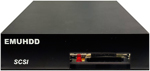
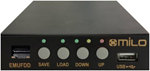
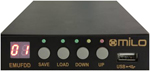
EMUFDD 4.22

The most featured and configurable Universal Floppy HW Emulator

Custom/Non-standard floppies analysis & development available

All-inclusive Installation Service available

!! Be aware of junk emulators !!


English Manual


Support Forum


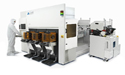
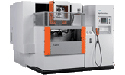
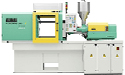
Old PCs, keyboards and industrial automation equipment such as programmable machinery and industrial robots may not have a USB interface. Data and programs are still loaded from a floppy disk, which can be damaged in industrial environments. This outdated equipment may not be replaced due to cost, or requirement for continuous availability. Unlike general-purpose desktop personal computers, existing software emulation and virtualization tools can't solve this problem because of the lack of an operating system or use of a customized operating system that does not have drivers for USB devices.

You ask & EMUFDD4 emulates it...
ABB, ACIERA, ACORN, ADVANTEST, AGATHON, AGIE, ALBERTI, ALLEN-BRADLEY, ALPS, AMK, ANDRON, ANILAM, ARBURG, ARIES, ASEA, ATEK, B&R, BARUDAN, BECKHOFF, BENDIX, BIESSE ROVER, BMB, BOEHRINGER, BOSCH, BRUETSCH, BULLERI, BYSTRONIC, CARSTENS, CENTURION, CHARMILLES, CHIRON, CINCINNATI, CITIZEN, CNI, COMERIO, DAL MASCHIO, DECKEL, DELEM, DENN, DIXI, E&S, ECKELMANN, ELESTA, ELEX, EMCO-TURN, ESAB, ESA/GV, FANUC, FIDIA, GE, HAAS, HAPPY, HEIDENHAIN, HKD, HP, IBM, INTERMAC, iRMX, ISEL, ITT, JUMBERCA, KAWASAKI, KONGSBERG, KORG, KUKA, LECROY, LEIFELD, MANDELLI, MAZAK, MELDAS, MIKRON, MILLTRONICS, MITSUBISHI, MITSUMI, MORBIDELLI, MORI-SEIKI, MOTOMAN, MULTITRON, NEC, NUM, NUMERIK, OKUMA, ORLA, OSAI, PANASONIC, PFAFF, PHILIPS, PLURITEC, PROTTI, R&D, ROLAND, SAURER, SCM, SEFRAM, SELCA, SHIMA-SEIKI, SIEB&MEYER, SIEBERT, SIEMENS, SONY, STAUBLI, STUDER, TAJIMA, TEAC, TEKTRONIX, TOSHIBA, TOYODA, TOYOTA, ULTIMAX, UVA, WNT200, YAMAHA, YE-DATA, YOKOGAWA, ZINSER, ZSK...
...on any existing machinery!


  Why should I replace my floppy?  

 Remember that: 
  • Floppy drives and floppy disks are world-wide out of production and, even if today you can still find goods in stock, these will run out 
  • USB emulation allows data exchange between any machinery and computers without floppy drive 

  Why should I choose EMUFDD?  

 Remember that: 
  • EMUFDD comes to you with all supported floppy interfaces within an unique firmware, jumper-free configurable 
  • EMUFDD is the only emulator that loads/saves data directly from/to USB-key standard DOS directories (360KB/720KB/1.2MB/1.44MB) 
  • EMUFDD also loads/saves data also in ISO standard format, readable by every virtual floppy software and floppy low level editor 
  • EMUFDD can emulate system/boot floppies, particular floppies that can't be simply copied but need a clone operation 
  • EMUFDD can emulate any non-standard floppy format (640KB/800KB/1.04MB/1.28MB/...) and density (FM/MFM) 
  • EMUFDD spins at both 300rpm and 360rpm (japanese floppy drives) 
  • EMUFDD + Virtual Floppy Drive (VFD) is a complete data exchange system, more than a plain floppy emulator 
  • EMUFDD is an original product, designed & assembled in Italy since 2009 

 EMUFDD lets: 
  • any computer and industrial machinery go on working, without hardware or software change 
  • people just switch off, replace the old drive and turn on: complete stand-alone hardware emulation 
  • people go on working, avoiding or deferring expensive machinery replacement 
  • load data into the internal memory & plug the USB-key off : no need to keep the USB-key always plugged in 
  • customers rely on a prompt and effective technical support - direct line with the designer 

  What can I do with EMUFDD?  

 Load/Save/Format data directly from/to USB-key standard DOS directories: 
  1. Plug the USB-key in & go off-line : press SAVE or LOAD 
  2. Select the directory number NN (X:\emufddNN.dir\*) : press DOWN (<<) or UP (>>) 
  3. Load/Save/Format data from/to directory NN : press LOAD or SAVE or LOAD+SAVE 
  4. Plug the USB-key off 

 Load/Save/Format data from/to USB-key standard ISO image files: 
  1. Plug the USB-key in & go off-line : press SAVE or LOAD 
  2. Select the image number NN (X:\emufddNN.img) : press DOWN (<<) or UP (>>) 
  3. Load/Save/Format data from/to image file NN : press LOAD or SAVE or LOAD+SAVE 
  4. Plug the USB-key off 


  Easy HW installation  

  1. Connect power supply: 

     +12 V (not connected)   Ground   Ground   +5V (main power supply) 

  2.  Connect 34-pin flat cable: 

    Be sure to match the  first conector pin - 1  with the  first flat cable pin - 1 
    Sometimes flat cables are inverted!
    Please check wether the cable is coloured/marked at pin-1 (standard) or pin-34 (inverted)


  Features  

 Internal memory: 

  • 1.5MB of FRAM memory, fast & non-volatile 
  • no need to keep the USB-key always plugged in 
  • 0ms seek time (track access time)  

 User friendly: 

  • 00-99 standard directories support & full USB-to-EMUFDD-memory translation 
  • 00-99 standard ISO floppy images support & full VFD integration 
  • bootable and OS/format independent raw images (FAT, custom, ...) 
  • fast USB-key image load/save, stand-alone (no PC) image creation/FAT12-format 

 Configuration: 

  • many interfaces inside an unique firmware (PC/AT, NC, hybrid) 
  • fully configurable emulation (drive, size, interface, tracks, sectors...) 
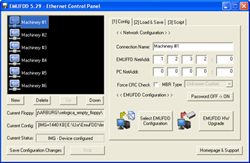
  • jumper-free configuration via "emufdd4.cfg" USB-key file, no need to stop/open/uninstall 

 Error resistance: 

  • adaptive software PLL with time & signal correction 
  • drive & signal glitches filtering 
  • enhanced IN/OUT interface logic with up to 50mA signal support 

  Interfaces & Media  


 Interfaces - Floppy Drive Pinout 

 PC/AT-Intel 8072-IBM interface 

 NC-mPD765-Shugart interface 

 ...Custom... 


 Pin 

 Dir 

 Signal 

 2 

 Out 

 (PC) 
  Density Select  

 (NC) 
  Disk Change  

 (Custom) 
  Density Select  
  0 (GND)  
  1 (+5V)  
  Disk Change  
  Ready  

 4 

 - 

 - 

 6 

 - 

 - 

 8 

 Out 

 Index Hole 

 10 

 In 

 (PC) 
  MotorA  

 (NC) 
  Drive0  

 (Custom) 
  Pin10  

 12 

 In 

 (PC) 
  DriveB  

 (NC) 
  Drive1  

 (Custom) 
  Pin12  

 14 

 In 

 (PC) 
  DriveA  

 (NC) 
  Drive2  

 (Custom) 
  Pin14  

 16 

 In 

 (PC) 
  MotorB  

 (NC) 
  Motor  

 (Custom) 
  Pin16  

 18 

 In 

 Step Dir 

 20 

 In 

 Step Pulse 

 22 

 In 

 Write Data 

 24 

 In 

 Write Enable 

 26 

 Out 

 Track 0 

 28 

 Out 

 Write Protect 

 30 

 Out 

 Read Data 

 32 

 In 

 Head Select 

 34 

 Out 

 (PC) 
  Disk Change  

 (NC) 
  Ready  

 (Custom) 
  Density Select  
  0 (GND)  
  1 (+5V)  
  Disk Change  
  Ready  


 Media - Floppy Disk Format 

 Density: 125÷250KHz FM / 250÷500KHz MFM / ...Custom... 

 Speed: 300rpm / 360rpm / ...Custom... 

 Format: 360KB / 720KB / 1.2M / 1.4M / ...Custom... 


 Disk
Geometry 

Any possible custom drive geometry (TR/HE/SE x BYTES)
TRACKS = 1÷82 / HEADS = 1÷2 /
SECTORS = 1÷36 x BYTES = 128/256/512/1024
SOME COMMON
EXAMPLES...
82/2/18x512 - MFM: 500KHz - 300rpm - 1.476MB
81/2/18x512 - MFM: 500KHz - 300rpm - 1.441MB
80/2/18x512 - MFM: 500KHz - 300rpm - 1.440MB
80/2/15x512 - MFM: 500KHz - 360rpm - 1.200MB
80/2/9x512 - MFM: 250KHz - 300rpm - 720KB
80/2/9x512 - MFM: 300KHz - 360rpm - 720KB
40/2/9x512 - MFM: 250KHz - 300rpm - 360KB
MORE LESS
COMMON
EXAMPLES...
80/2/8x1024 - MFM: 500KHz - 300rpm - 1.280MB
80/2/32x256 - MFM: 500KHz - 300rpm - 1.280MB
80/2/26x256 - MFM: 500KHz - 300rpm - 1.040MB
80/2/5x1024 - MFM: 250KHz - 300rpm - 800KB
80/2/18x256 - MFM: 250KHz - 300rpm - 720KB
80/2/16x256 - MFM: 250KHz - 300rpm - 640KB
OLD & RARE
EXAMPLES...
80/2/5x1024 - FM: 250KHz - 300rpm - 800KB
80/2/9x512 - FM: 250KHz - 300rpm - 720KB
80/2/18x256 - FM: 250KHz - 300rpm - 720KB
80/2/32x128 - FM: 250KHz - 300rpm - 640KB
80/2/18x128 - FM: 125KHz - 300rpm - 360KB
80/2/16x128 - FM: 125KHz - 300rpm - 320KB
NEED MORE? Ask customer support for help in identifying your floppy disk!


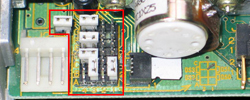
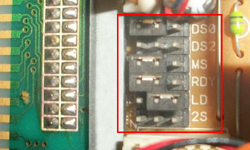
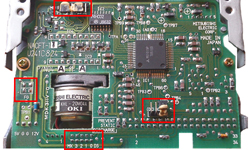
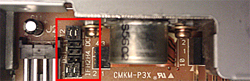
* * * * * EMUFDD & Jumpering * * * * *


 TEAC Floppy Drives 

 MITSUMI Floppy Drives 

 MITSUBISHI Floppy Drives 


* * * * * More Configuration Examples * * * * *


 Seek Time  


 [seektime]=2; 

 seek time is set to 2ms 

 standard is 12ms 


 HIGH Off Signal Filtering  

 [uptime]=0; 
 [downtime]=200; 

 up/down are set to 0ms/200ms 

 standard are 5ms/5ms 


 Polling  

 [always]=1; 

 polling support is 1 (active) 

 standard is 0 (OFF) 


* * * * * Youtube - Demo * * * * *


PC demo - EMUFDD 2.0

NC & Keyboard demo - EMUFDD 2.0


* * * * * Software * * * * *


Void floppy images (DOS/FAT12): #00 - 360KB, #00 - 720KB, #00 - 1.200MB, #00 - 1.440MB


  Simplified x86/x64 Virtual Floppy Drive (VFD) - base software  

  64bit WorkAround / Torrent / Pad / Screenshot / Icon  

  A virtual floppy drive that mounts image files (*.img) as new browseable computer resources.  

  Tested from WinXP (32bit) to Win7 (64bit). Open source & free.  

  Original Virtual Floppy Drive (VFD) - Home  

  Original Virtual Floppy Drive (VFD) - SW  

  Original Virtual Floppy Drive (VFD) - Source  

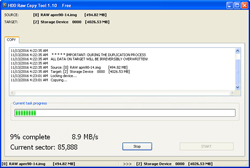
  Raw Write - optional software  

  A low level tool that lets you read and write floppies as image files (*.img). Open source & free.  

  Succesfully tested on standard-density DOS/non-DOS floppies: 720KB/1.44MB  

  Raw Write - Home  

  Raw Write - Source  

  OmniFlop - optional software  

  An ultra low level tool that lets you read and write floppies as image files (*.img). Free.  

  Succesfully tested on ANY-density DOS/non-DOS floppies: 640KB/720KB/800KB/1.2MB/1.44MB/...  

  Instructions
  •  read the "User Guide.pdf" manual 
  •  update the FDC driver with "OmniFDC.sys" 
  •  update the floppy driver with "OmniFlop.sys" 


Using OmniFlop be sure to set "Slow Step Rate"


Select a format family (eg. DOS) or the full list "All"
Select the floppy density (eg. 80/2/16x256 ... 640KB)
  • 80 tracks, 2 sides, 16 sectors each 256 bytes
  • 80 * 2 * 16 * 256 = 640KB

  OmniFlop - Home  

  WinImage - optional software  

  A tool that lets you edit image files (*.img) without mounting them as virtual devices. Shareware.  

  WinImage - Home  

  Low Level Format (LLF) - optional software  

  Some USB keys may come with a non-standard format and EMUFDD will not recognize them.  

  This tool lets you blank erase an USB key so that you can format it again with a standard partition table. Free.  

  LLF - Home  


Worldwide visitors